Diagrams as Code Will Change How You Develop Games
Game Development, Mermaid.js, Diagrams as Code, Game Design, Technical Documentation, AI, Productivity, DevOps, Project Management, Flowchart If you’ve shipped games, you know the folder: the shared drive full of design docs and diagrams that are already obsolete. Hours spent aligning boxes and arrows in a drag-and-drop tool, pasted into the GDD—and a week later the code has gone a different way. Those nice visuals are brittle, hard to version, and painful to collaborate on.
“Diagrams as code” fixes that. Tools like Mermaid.js let you describe diagrams as plain text and render them automatically. That means diagrams become editable, scriptable, and versionable—just like your source. Here are four practical ways this changes game development workflows for the better.
1 — Stop Designing Boxes, Start Designing Logic
The core shift is simple: stop fussing with presentation and define behavior.
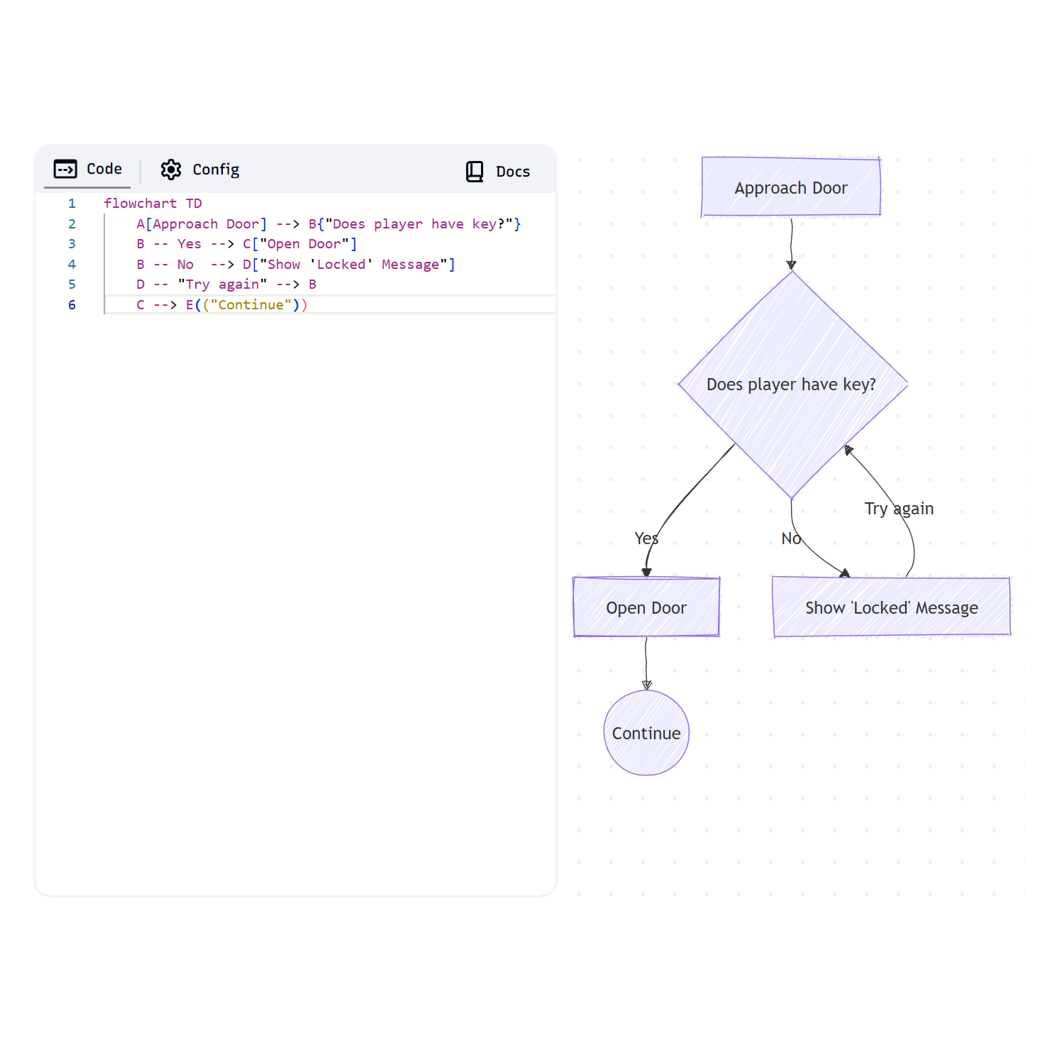
With text-based diagrams you describe logic, not pixels. For example, a door interaction in Mermaid:
flowchart TD
    A[Approach Door] --> B{"Does player have key?"}
    B -- Yes --> C["Open Door"]
    B -- No  --> D["Show 'Locked' Message"]
    C --> E(("Continue"))
That tiny block expresses the branching logic clearly. For game systems—AI state machines, ability trees, quest flows—this forces the right mental model: states and transitions, triggers and outcomes. Iteration becomes faster because you edit logic, re-render the diagram, and move on.
Practical tip: Keep your diagram files alongside the code that implements them (same folder or same repo). When the logic changes, update both in the same commit.
2 — The Ultimate Shortcut: Generate Diagrams with AI
Learning a simple syntax is one thing; generating complete diagrams is another. This is where modern LLMs and AI-assisted tools become especially useful. You can describe a system in plain English and get valid Mermaid code in seconds.
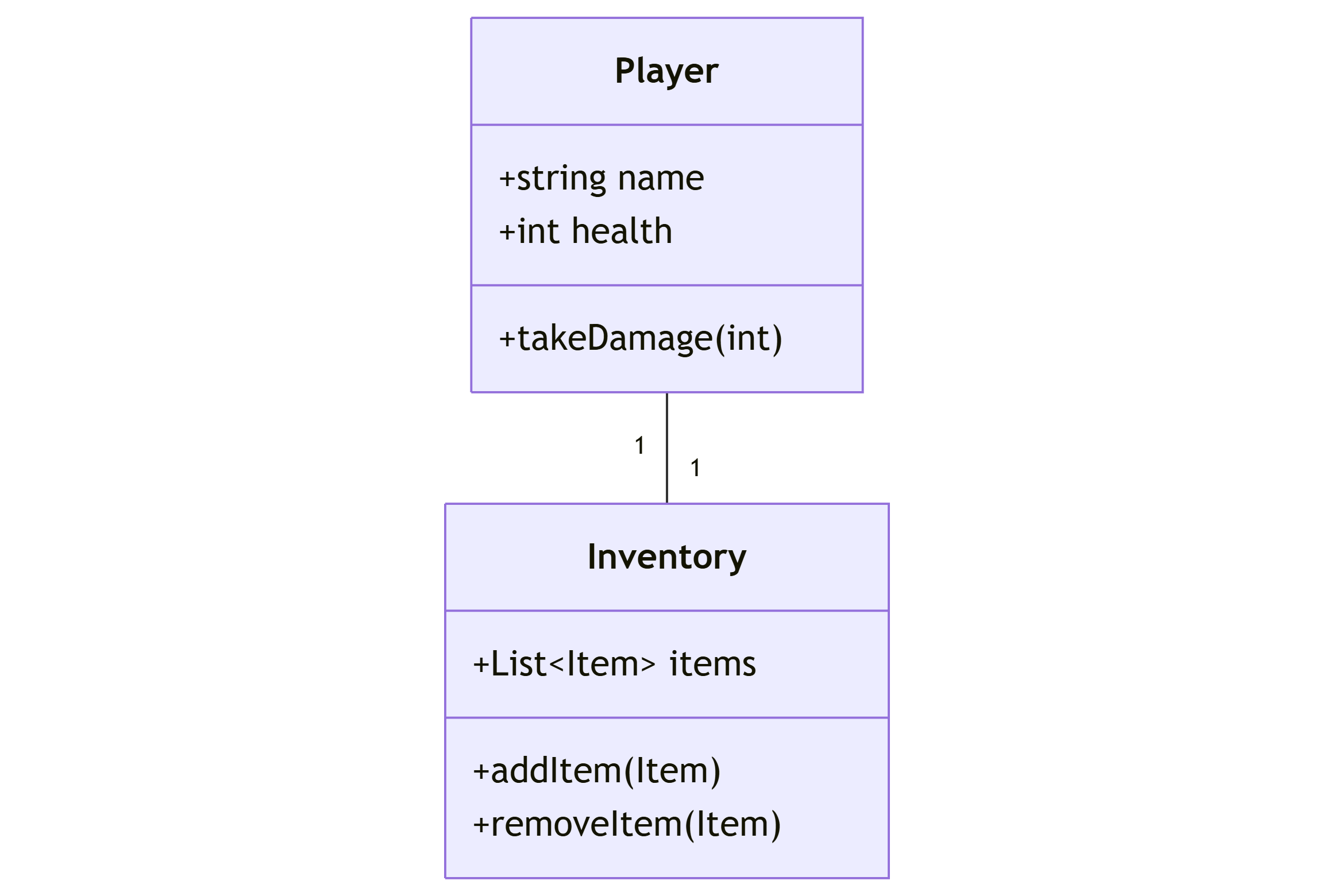
For example, asking for a class diagram of a simple player inventory system might produce something like this:
classDiagram
    class Player {
        +string name
        +int health
        +takeDamage(int)
    }

    class Inventory {
        +List~Item~ items
        +addItem(Item)
        +removeItem(Item)
    }

    Player "1" -- "1" Inventory
The real power comes from iteration. If your design evolves, you can refine the diagram just as easily. For instance, you could prompt the AI with:
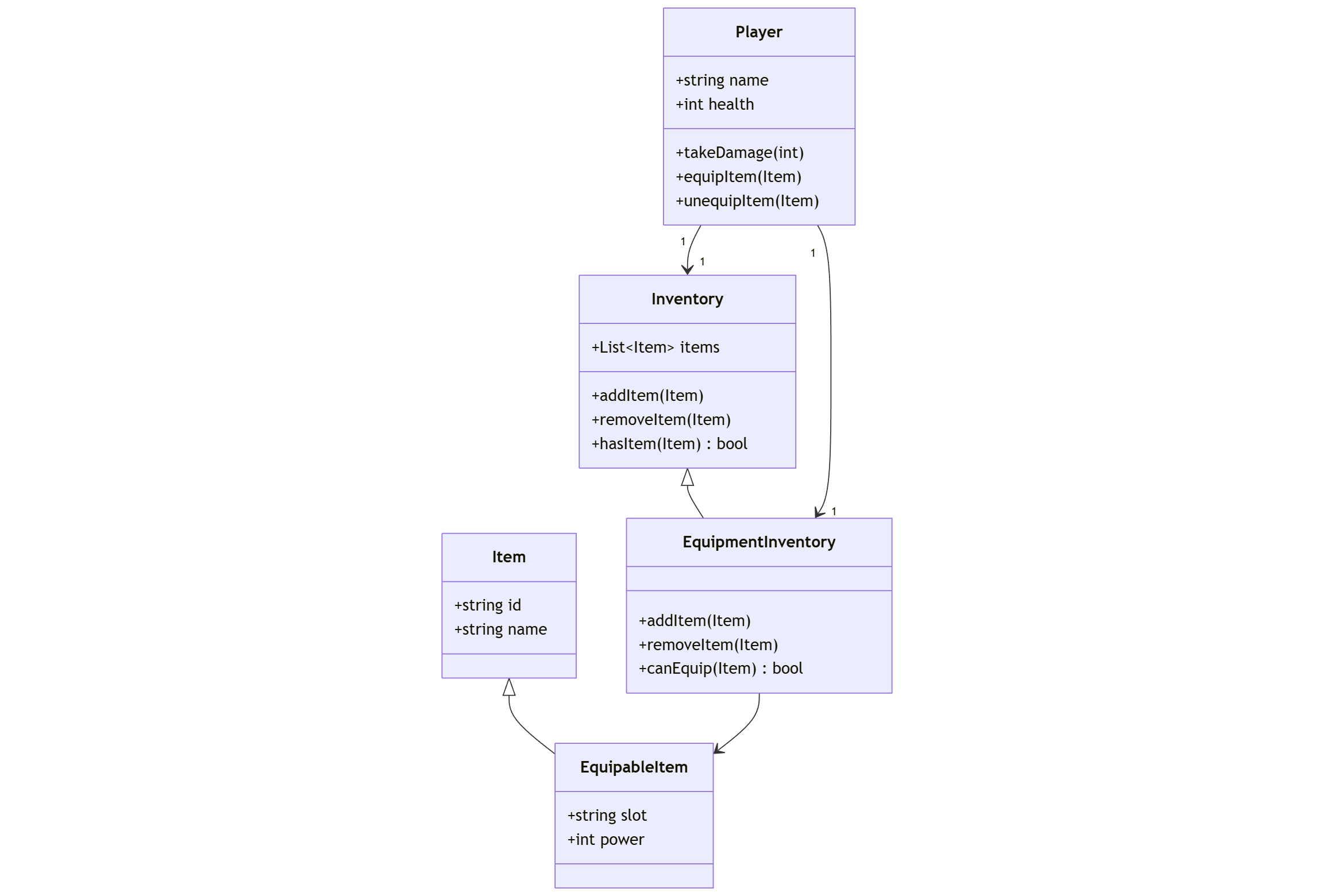
“Add an EquipmentInventory that behaves like Inventory but only accepts equippable items, and link it to Player.”
The AI will regenerate the Mermaid code, extending the diagram with a new class and its relationships—no manual redrawing required.
For game developers, this means you can rapidly prototype and evolve system architecture—inventory, abilities, progression, AI behaviors—directly from text. Diagrams stop being static artifacts and become living representations of how your systems actually work.
classDiagram
    class Player {
        +string name
        +int health
        +takeDamage(int)
        +equipItem(Item)
        +unequipItem(Item)
    }

    class Inventory {
        +List~Item~ items
        +addItem(Item)
        +removeItem(Item)
        +hasItem(Item) bool
    }

    class EquipmentInventory {
        +addItem(Item)
        +removeItem(Item)
        +canEquip(Item) bool
    }

    class Item {
        +string id
        +string name
    }

    class EquipableItem {
        +string slot
        +int power
    }

    Inventory <|-- EquipmentInventory
    Item <|-- EquipableItem

    Player "1" --> "1" Inventory
    Player "1" --> "1" EquipmentInventory
    EquipmentInventory --> EquipableItem
Practical tip: Use AI to generate a first draft, then refine by hand. Treat the output as a scaffold, not final design.
3 — It’s Not Just Flowcharts: Map Your Entire Production
Mermaid and similar tools aren’t limited to simple flowcharts. The same text-first approach can cover most of your documentation needs:
- Class diagrams for object design (controllers, components, items)
- State diagrams for animation/AI states and transitions
- Sequence diagrams for network interactions and event timing
- Gantt charts for scheduling sprints and milestones
- Git graphs for branch/merge strategies
- Mind maps for brainstorming narrative threads and features
Consolidating visual docs into a single, text-based toolkit removes tool fragmentation and reduces friction. No more exporting images, no more broken files—just editable text that renders into diagrams.
Practical tip: Standardise on a small set of diagram types for your repo (e.g., design/flow/, design/arch/, design/schedule/) so teammates know where to look.
4 — Your Diagrams Can Live in Git, Just Like Your Code
This is the biggest win: diagrams-as-text are version-controlled artifacts.
- Version history: Track why a design changed by inspecting commits.
- Code reviews: Include updated diagrams in pull requests so reviewers can discuss architecture and visuals in-line with code changes.
- CI/Docs integration: Render diagrams on CI and publish them to your README or internal wiki automatically. On platforms like GitHub, Mermaid can render directly in Markdown.
This turns documentation from a neglected side task into a first-class, reviewable part of development.
Practical tip: Add a CI job that lints or renders Mermaid files so diagrams are validated and published automatically.
Conclusion
“Diagrams as code” is not a niche trick; it’s a workflow shift. By focusing on logic over layout, leveraging AI for rapid generation, applying the approach across production, and treating diagrams as versioned source, you avoid the design doc graveyard. Your diagrams evolve with your code, become part of the PR process, and actually help you ship better games faster.
How could you use version-controlled, AI-assisted diagrams in your next game jam or sprint? Start with one small practice: convert a single static design diagram into a Mermaid file and commit it. You’ll already feel the difference.